 Tracka
 for iPhone
Every goal and habit, in one calm place.
Read 24 books, run 500 km, meditate every day, finish a 30-day challenge. Give it a number or a streak, update it in a few taps, and watch the line fill up. No account. Your trackers stay on your iPhone.
- No account
- No ads
- No subscription
- No tracking
- Stays on your iPhone
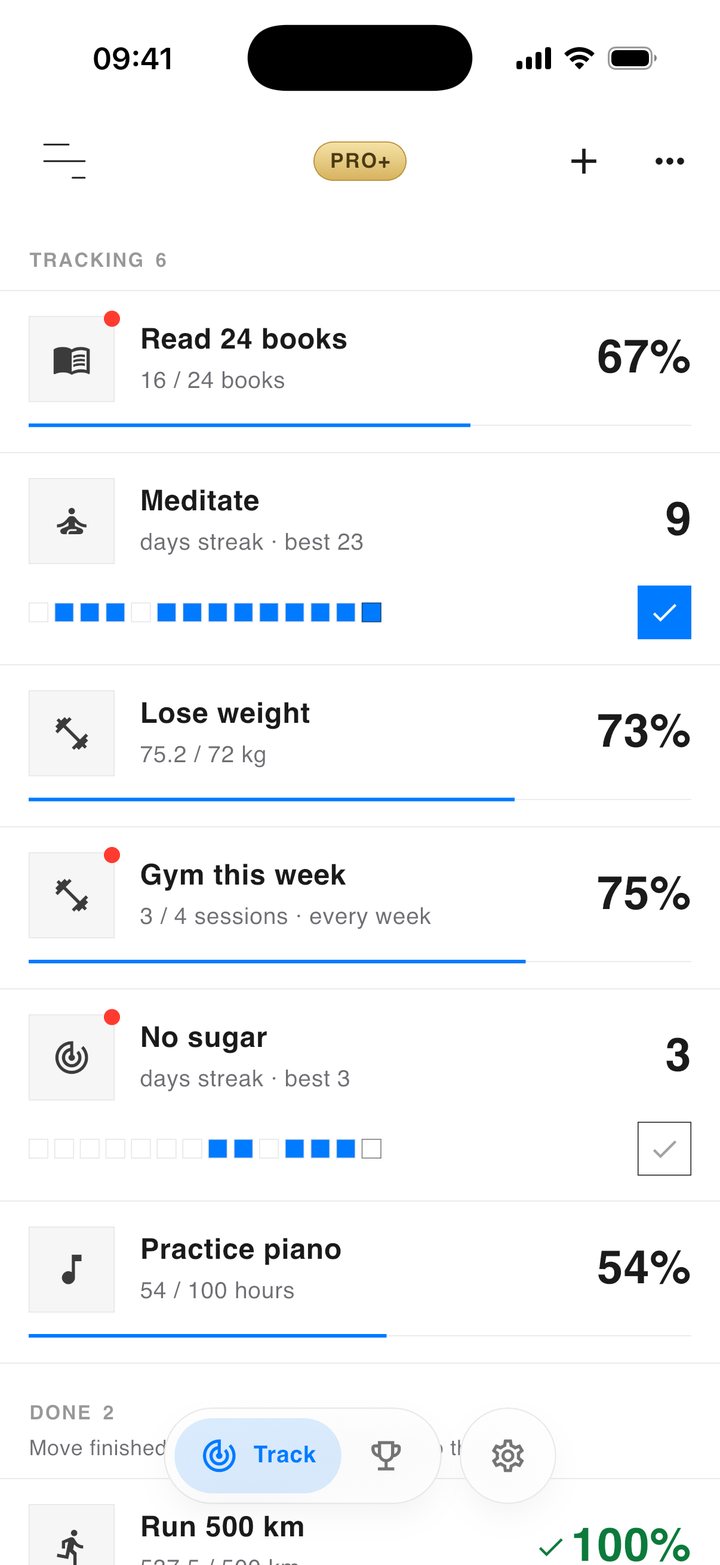
Track anything you can count.
Goal setting works best when you can see it move. Tracka gives each goal, habit or challenge its own line, so you know where you are at a glance.
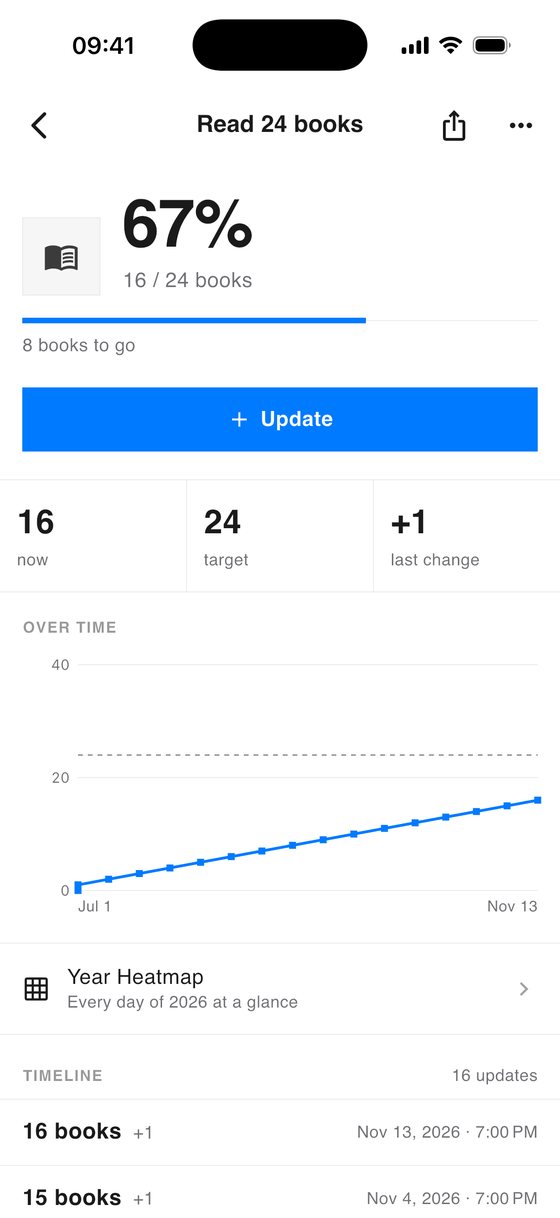
Goals with a number
Books, km, kg, pages, hours, anything with a unit. Count up from zero or from where you are today. A weight or a best time can go down to its target.
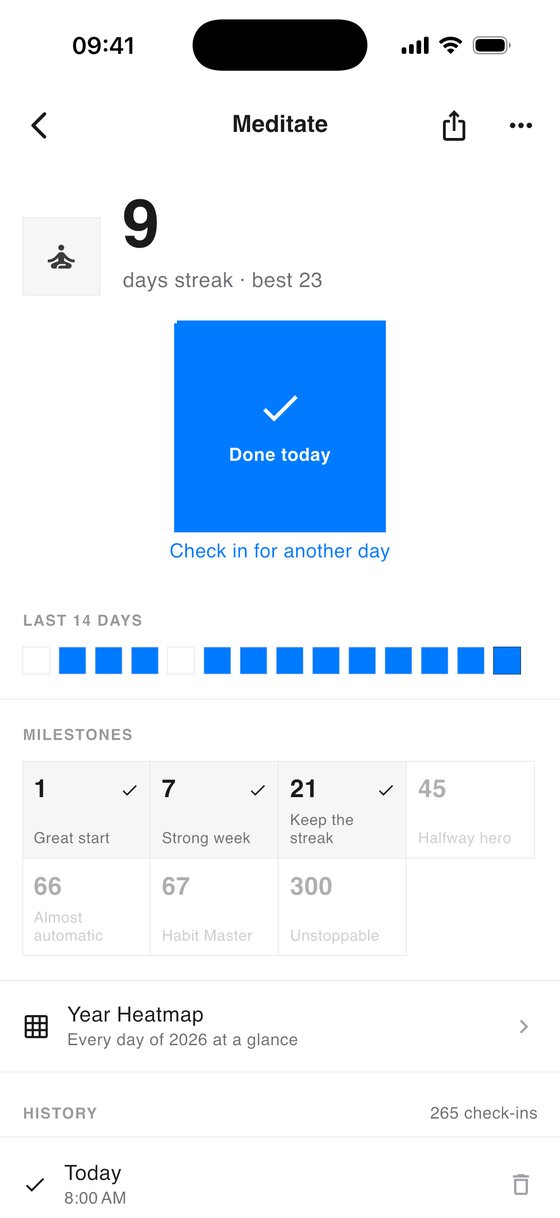
Streaks and habits
Check in once a day, or once an hour, week, month or year. Hold the square to check in, tap it on the home screen, or check in for a day you forgot.
Repeating goals
Gym 3 times a week, 10,000 steps a day, 2 books a month. The count starts again each period, and your history stays.
Challenges and milestones
A 30-day challenge, 75 days in a row, a reading challenge. Streak milestones from Great start to Strong week, Habit Master at 67 and Unstoppable at 300.
Timeline and chart
Every update with its note and the date it happened, and a chart of how each goal moved. Add an update for an earlier day and it lands in the right place.
Reminders
Each tracker can remind you on the days and at the time you pick. A small dot shows what you haven’t opened today, this week or this month.
Achieve
Move finished goals to Achieve, where they stay for good. Bring one back as it was or from the start, and copy last year’s unfinished goals into the new year.
List or grid
See your trackers as a list or a grid, large or small, in light or dark. Share any tracker’s progress as a clean image.
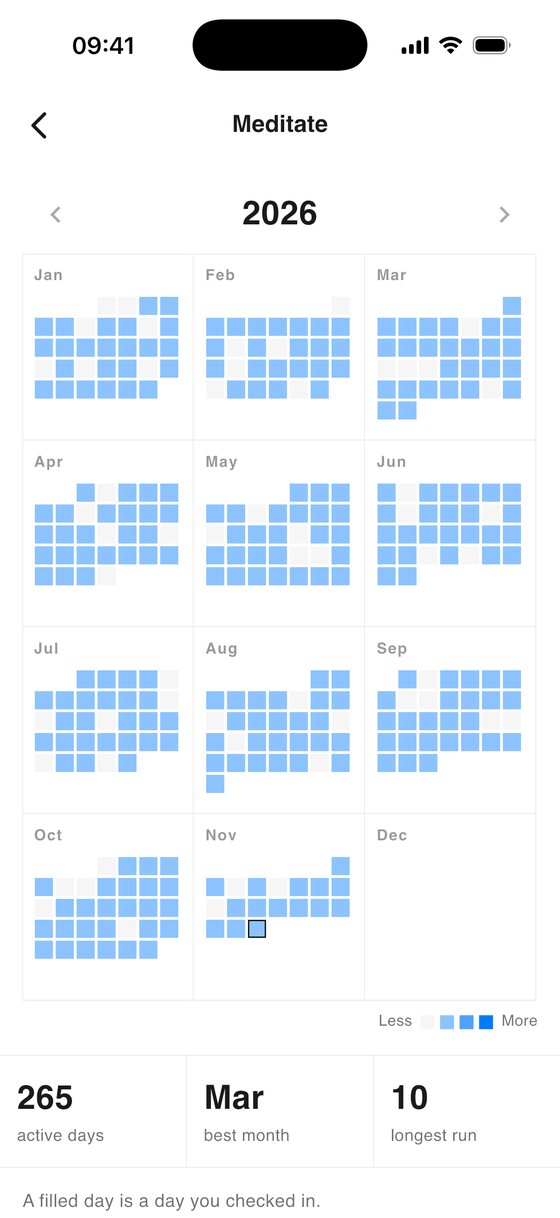
Year Heatmap & Insights PRO+
Every day of your year as a square for each tracker, with your best month and longest run, and Insights across all your trackers.
A goal, a streak, a year.
Screens from the app, with sample data.
Nothing to sign up for.
Tracka needs your goals, not your details.
No account
No email, no password, no sign-up. Open Tracka and add your first goal.
Stays on your iPhone
Your trackers, updates, notes and photos are stored in the app on your iPhone. Tracka has no server.
No ads, no tracking
No advertising and no analytics or tracking SDKs inside the app.
Purchases go through Apple. A backup is a file you save yourself, for example to iCloud Drive. Privacy policy.
Pay once. Or not at all.
Goals, streaks, reminders, the timeline and the chart are free. Pro and Pro+ are one-time purchases, not subscriptions.
Free
$0
- Up to 10 trackers going at once (goals in Achieve never count)
- Goals, streaks and repeating goals
- Notes, timeline and chart
- Reminders
- Achieve and the new-year copy
- Share as an image
- List or grid, light and dark
- Restore a backup
Pro PRO
$9.99 once
- Everything in Free
- Unlimited trackers
- Photos on your updates
- 9 accent colours
- Passcode lock
- Backup to a file in iCloud Drive
- Export to CSV
Pro+ PRO+
$19.99 once
- Everything in Pro
- Year Heatmap for every tracker
- Insights across all your trackers
Already have Pro? Upgrade for $9.99.
Prices in US dollars. The App Store shows the price for your country. Bought Tracka Pro before? It’s still yours: tap Restore purchases.
Questions people ask.
Is Tracka a subscription?
No. Tracka is free to download, with up to 10 trackers going at once. Pro ($9.99) and Pro+ ($19.99) are one-time purchases. If you have Pro, the upgrade to Pro+ costs $9.99.
Can I track both habits and goals?
Yes. A goal has a number and a unit, like 24 books or 500 km. A streak is a habit you check in on, like meditating every day. A repeating goal counts again each day, week or month, like the gym 3 times a week. All of them sit on the same home screen.
Can I use Tracka for a 30-day or 75-day challenge?
Yes. Make a daily streak and check in each day. Tracka shows the days in a row, your best run and milestones at 7, 21, 45, 66 and 67 days. If you miss a check-in, you can still add it for the day you forgot.
Do I need an account?
No. There is no sign-up and no server. Everything is saved on your iPhone. To move to a new iPhone, save a backup to iCloud Drive and restore it there.
What happens to goals I finish?
Move them to Achieve, where they stay for good and don’t count toward the free limit. You can bring one back to Track as it was, or start it over.
Get Tracka on the App Store.For iPhone and iPad, iOS 13 or later. Free to download.
Download on the App Store